I'm a self taught web developer and a learner as well. I am sharing my experiences and knowledge here with a hope to help those who are beginners as sharing helps to grow together.
Some useful methods
String
A string is used to store text and manipulate it according to our needs. A string always written within quotes, either single quote ' or double quote ".
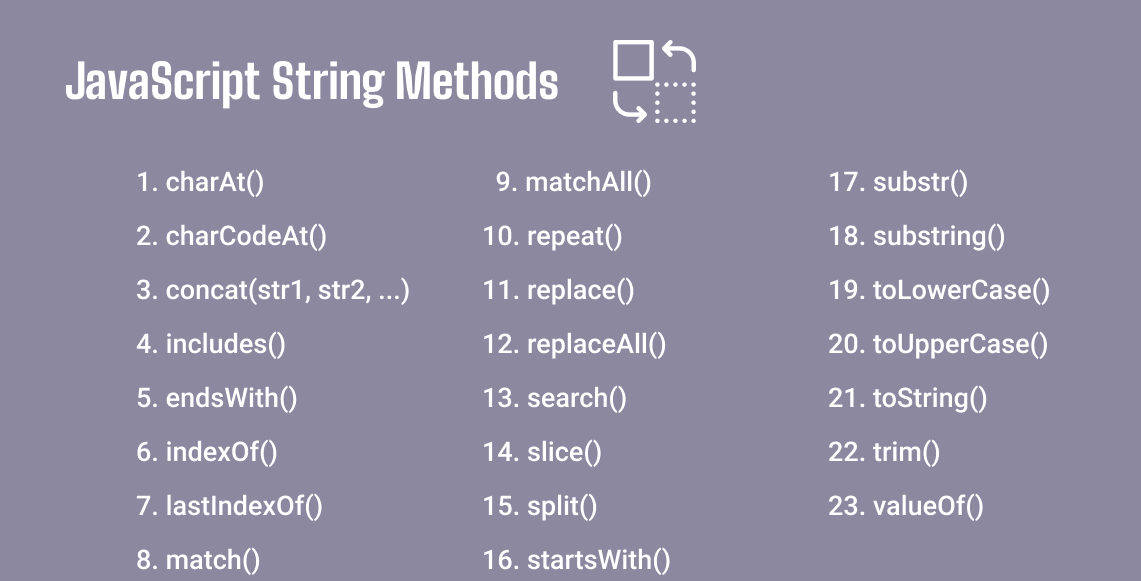
charAt()
The charAt() method is used when we have to get a single character at a specific position in the string. We have to apply this method with the index of the character within the parenthesis. Then this method gives us the character at the index we have passed in this method.
"I am Rohan Kumar".charAt(3); // m
String Comparision
We can easily put two strings one after the other separated by the equals(=), greater than(>) or less than(<) symbols to compare two strings.
"praveen" == "Praveen"; // false
In the above case, the 'p' of the left side of the operator is of small case. On the other side the character 'p' is of capital case. Thus it will not match and return false.
"Praveen" == "Praveen"; // true
In the above case, the character and their cases are same. Thus it will match and return true.
toUpperCase()
This method is used to change the case of all the characters of the string to uppercase characters. This method does not affect the original string.
let str = "A Great Day"
let str2 = str.toUpperCase();
console.log(str2);    // A GREAT DAY
toLowerCase()
This method is used to change the case of all the characters of the string to lowercase characters. This method also not affects the original string.
let str = "A Great Day"
let str2 = str.toUpperCase();
console.log(str2);    // a great day
trim()
The trim() method is used to remove white spaces from beginning and end of a string.
let text1 = "      Hey! I am Robert      ";
let text2 = text1.trim();
console.log(text2);    // Hey! I am Robert
slice()
This method is used to extract a particular section of a string by the help of the index of its first and last position. slice method takes two parameters. The first parameter takes the starting index and second parameter takes the end position of the string to be extracted. (excluding second parameter)
let str = "strings are used for storing and manipulating text"
let slicePartition = str.slice(2,28);
console.log(slicePartition);    // rings are used for storing
The slice() method can take negative parameters and it will extract the string counting from ending position of the string.
let str = "strings are used for storing and manipulating text"
let slicePartition = str.slice(-29,-5);
console.log(slicePartition);    // storing and manipulating
substring()
This method is similar to slice() method. The difference is that it does not take negative parameters and if we pass any negative parameter it will convert it into 0.
let str = "strings are used for storing and manipulating text"
let substringPartition = str.substring(17,28);
console.log(substringPartition);    // for storing
substr()
This method is also similar to the slice() method. This method also takes two parameters. The first parameter is the starting position and the second parameter is the length of the string to be extracted.
let str= "strings are used for storing and manipulating text"
let substrPartition = str.substr(8,8);
console.log(substrPartition);    // are used
replace()
This method is used to replace string's partition with desired content. It takes two parameter in which the first parameter is the text to be replaced and second parameter is the text to be placed at that position.
let Str= "Once upon a time there is a farmer"
let newStr = Str.replace("time","era");
console.log(newStr);    // Once upon a era there is a farmer
The above method always checks for case matching. If case of both are different then it will not replace the word. To make the searching text to be matched case insensitively we have to use /i flag.
let Str= "Once upon a time there is a farmer"
let newStr = Str.replace(/TIME/i,"era");
console.log(newStr);    // Once upon a era there is a farmer
The replace() method always check for first search and replace the first match and ignore all other matches within the string. To make it replace all matches we have to use /g flag.
    let Str= "Once upon a time there is a farmer and he does hard work upon the field"
    let newStr = Str.replace(/upon/g,"the");
    console.log(newStr);    // Once the a time there is a farmer and he does hard work the the field